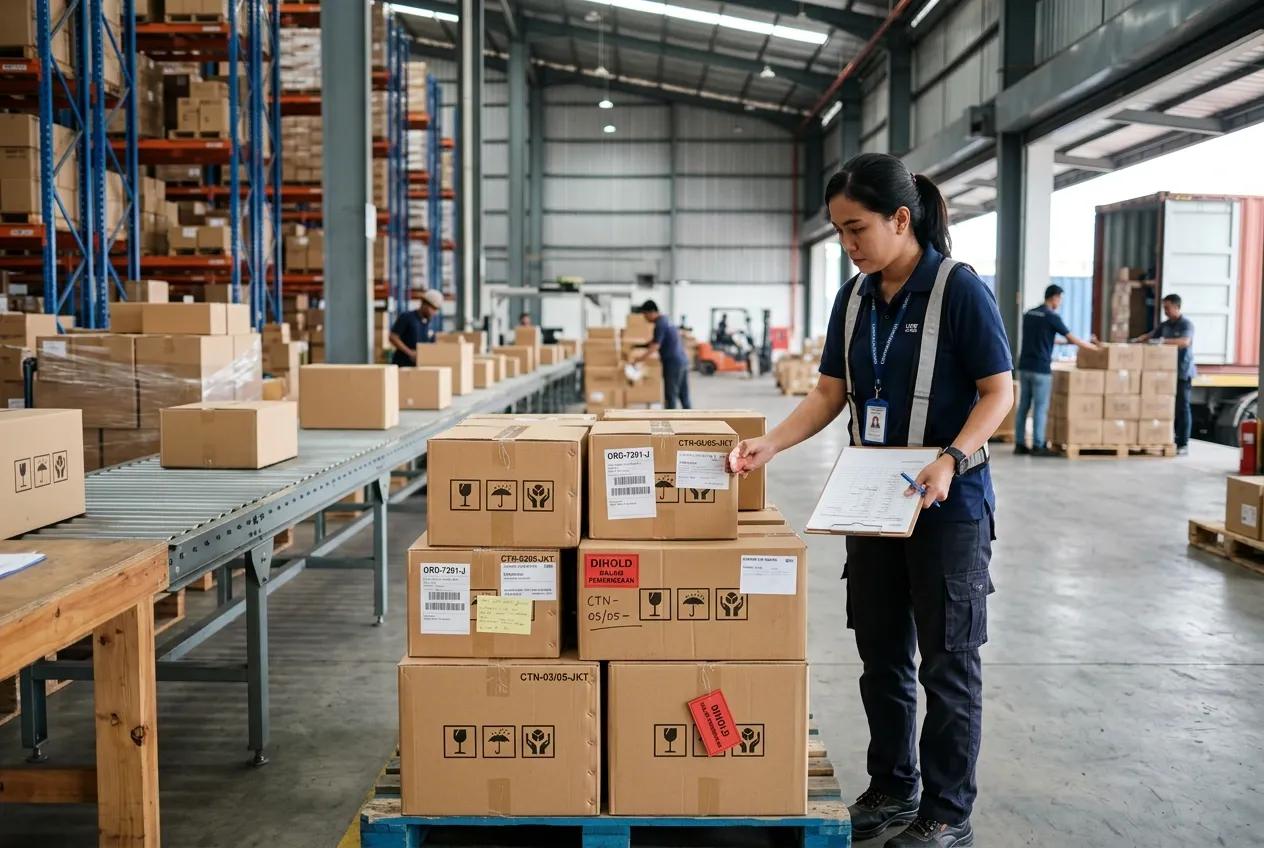
An order does not always move from one stage to the next as planned. Issues in the order process can leave orders pending while warehouse teams handle other orders. As order volume increases, tracking pending orders can take significant time and attention.
A clear process for handling order holds helps teams resolve pending orders and keep fulfillment activities moving.
What Is an Order Hold?
In sales, warehousing, and distribution, not every order can be processed immediately after it is received. Certain conditions may require an order to be temporarily paused until the issue or requirement is resolved.
An order hold is a status used when an order is temporarily stopped from moving to the next stage, such as picking, packing, delivery, or invoicing. The order remains recorded in the system, but its processing is paused while the relevant issue is being addressed.
This does not mean the order has been canceled. Once the issue has been resolved, the order can continue to the next stage, so the customer does not need to place a new order.
Common Causes of Order Hold
Several factors can cause an order to be placed on hold. The reason usually depends on the order status, customer requirements, and conditions that need to be resolved before processing can continue.
- Stockout
An order may be placed on hold when the available inventory is not enough to fulfill the customer’s order. The order remains recorded in the system while the business waits for stock to become available. - Payment Verification Pending
Certain transactions require payment verification before the order can proceed to delivery. The order may remain on hold while the payment is being checked, helping prevent shipments from being released before valid payment is confirmed. - Credit Limit Exceeded
Companies that offer credit terms often assign each customer a credit limit. When a customer’s outstanding balance exceeds the assigned limit, new orders may be placed on hold until the outstanding amount is settled. - Incomplete Order Information
Missing details such as the delivery address, phone number, or product information can prevent an order from moving forward. The order may be placed on hold until the required information is completed. - Risk of Fraud
Unusual order patterns may also trigger an Order Hold. Examples include unusually high order values, mismatched addresses, or suspicious account activity. Holding the order gives the company time to review the transaction before processing continues. - Compliance or Regulatory Requirements
Certain products require specific documents, permits, or approvals before they can be shipped. When the required documentation is incomplete, the order may be placed on hold until all requirements are met.
Impact of Order Hold on Business
A high number of held orders or delays in resolving them can affect warehouse, distribution, and financial operations.
- Order Fulfillment
An order on hold cannot proceed until the underlying issue has been resolved. As a result, picking and delivery may be delayed, which can affect the company’s order fulfillment performance and customer service. - Warehouse Planning
Held orders can change the workload planned for picking, packing, and inventory allocation. Warehouse teams may need to reschedule activities or reassign available stock based on the latest order status. - Cash Flow
Orders on hold cannot be completed until the issue is resolved. As a result, payment for the order may also be delayed, which can affect the company’s cash flow.
Effective Ways to Manage Order Holds
- Use a Warehouse Management System
A Warehouse Management System (WMS) helps warehouse teams manage orders alongside inventory and warehouse activities. Teams can check stock availability, allocate inventory, and monitor picking and packing status from the same system. When an order is placed on hold, its status can be checked alongside the related warehouse activity. - Integrate Real-Time Inventory Data
Real-time inventory data allows teams to see the current stock available for each product. When stock becomes available or replenishment is completed, the order can be checked again and released for processing without waiting for a manual stock check. - Automate Warehouse Process Validation
A WMS can automate checks that take place before an order moves to the next stage. These checks can include stock availability, storage location allocation, and picking status. Automating these checks helps teams determine whether the order can proceed based on the latest warehouse data. - Monitor Order Holds Regularly
Regular reviews can help businesses see how often orders are placed on hold, what causes the holds, and how long they take to resolve. Reviewing the data can reveal recurring issues in warehouse operations and help teams decide where process changes are needed.
Improve Order Hold with BOSNET Warehouse Management System (WMS)
BOSNET Warehouse Management System helps businesses manage stock across the warehouse. By automating inventory processes and providing real-time visibility, businesses can identify products faster, track stock movement accurately, and maintain records across multiple warehouse locations.
With its self-correcting system, BOSNET Warehouse Management System automatically updates inventory records based on the latest physical activity, delivering precise data for smarter decision-making and helping FMCG businesses increase revenue and reduce costs.
Contact us to see how BOSNET can efficiently manage your warehouse.
#BOSNET #BestFMCGRunsBOSNET #Distribution #SupplyChain #IncreaseRevenue #ReduceCost